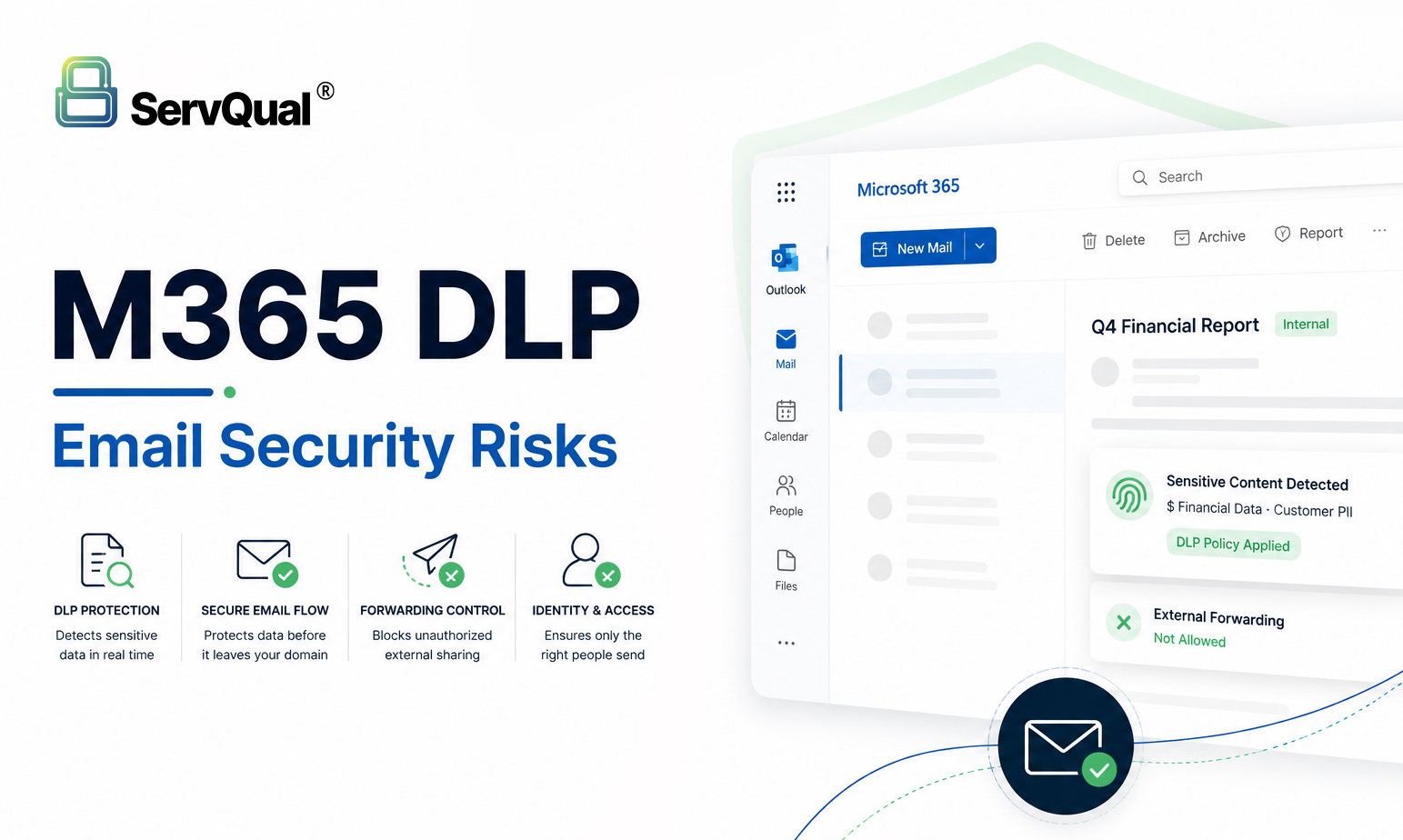
Microsoft 365 provides the technical foundation for DLP, email security, identity protection and audit logging, but regulated enterprises must deliberately configure, enforce and evidence these controls. A default or lightly configured tenant may leave gaps in data loss prevention , external forwarding , email threate protection , conditional Access , audit retention and third-party app
Executive Summary
- Email is the primary attack surface. Phishing and Business Email Compromise (BEC) where criminals impersonate colleagues or suppliers to authorise fraudulent payments are consistently among the leading causes of M365 security incidents, per the Verizon 2025 DBIR.
- The business and regulatory stakes are material. GDPR investigations, HIPAA breach reporting obligations, PCI-DSS forensic audits, and failed SOC 2 assessments all carry direct financial and operational consequences and all can result from M365 misconfiguration.
- Many controls are available in standard M365 licensing but must be activated. Exact availability depends on your organisation’s licensing tier, tenant configuration, and Microsoft feature set. Teams should validate control availability against their current M365 plan before implementation. The risk often exists not because tools are absent, but because they have not been switched on.
Why M365 Security Defaults Need Review
Microsoft 365 is designed for broad usability across organisations of every size and sector. Its default configuration reflects this: controls are set for ease of deployment, not for the security and compliance requirements of regulated enterprises.
This matters because regulated organisations those operating under GDPR, HIPAA, PCI-DSS, ISO 27001, SOC 2, or sector-specific regulation are expected to demonstrate that they have implemented appropriate technical controls, that those controls are operating effectively, and that they can produce evidence of both. A default M365 tenant typically cannot meet these expectations without deliberate configuration.
The challenge is compounded by the pace of M365 adoption. Many organisations deploy M365 rapidly often migrating from on-premises Exchange or Google Workspace and prioritise user onboarding over security hardening. The result is a production environment where email, data, and identities are being managed on a platform that has not yet been configured to the standard the organisation’s compliance obligations require.
The Problem: Email, DLP and Identity Gaps in Regulated Environments
Enterprise email remains the single most exploited entry point into regulated organisations. Phishing campaigns, Business Email Compromise, and malware delivery all rely on email as the primary delivery channel and M365’s default configuration leaves several critical defensive layers disabled or unconfigured.
At the same time, data loss prevention in a default M365 tenant is minimal. Without enforced DLP policies, sensitive customer data, patient records, and payment card information can leave the organisation via email, Teams messages, or SharePoint sharing without detection, alerting, or blocking.
Identity is a third dimension of risk. Conditional Access Microsoft’s primary mechanism for enforcing Zero Trust identity controls is not configured by default. Legacy authentication protocols, which bypass modern multi-factor authentication, remain open in default tenant configurations. Together, these gaps mean that email, data, and identity are all exposed simultaneously in a standard M365 deployment.
M365 Risk Areas: DLP, Forwarding, Threat Protection, Authentication, Identity and Audit Logs
The table below maps each primary M365 default to the business and compliance exposure it creates. Each row corresponds to a control layer that requires deliberate configuration in regulated environments.
| Risk Area | M365 Default Behaviour | Business & Compliance Exposure |
|---|---|---|
| DLP Policies | Off or basic detection only | Sensitive customer, health, or payment card data may leave the organisation without detection, creating potential GDPR, HIPAA, or contractual exposure if appropriate controls are not configured. |
| External Email Forwarding | Permitted to any destination | Attackers who compromise an account can silently redirect all incoming email to an external address. Data may exfiltrate for days or weeks without detection. |
| Email Threat Protection | Safe Attachments off by default | Malware, macro-enabled files, and malicious links may reach inboxes unchecked, increasing ransomware delivery and credential theft risk. |
| Email Authentication | DMARC, DKIM, and SPF absent | Without email authentication, criminals can send email that appears to originate from your domain, enabling Business Email Compromise fraud. |
| Identity Controls | Conditional Access not enforced | No per-request login risk verification in default configuration; legacy authentication protocols may remain open to credential-based attacks. |
| Audit Logging | Short retention period or disabled | Activity records may be insufficient for incident investigation or to meet GDPR, HIPAA, PCI-DSS, and SOC 2 audit evidence requirements. |
| Third-Party App Access | Admin consent not required | Connected third-party applications may retain broad access to email and file data after staff leave or credentials change, creating a persistent access risk. |
M365 Six-Layer Defence Stack
Closing these gaps requires a coordinated approach across six security control layers, each targeting a distinct phase of the email and data threat lifecycle. The stack below aligns with NIST SP 800-53 and the CIS M365 Foundations Benchmark two of the most widely referenced security baselines for enterprise Microsoft 365 deployments.
| Layer | Security Control → What It Does | Compliance Focus |
|---|---|---|
| 1Email Auth | DMARC · DKIM · SPF prevent domain spoofing and Business Email Compromise at the email gateway | BEC Prevention |
| 2Threat Protect. | Safe Attachments · Safe Links · Anti-Phishing sandbox every file and check every URL at click-time | Malware / Phishing |
| 3Identity & Access | Conditional Access · MFA · PIM verify every login, block legacy auth and enable just-in-time admin access | Zero Trust · NIST |
| 4Mail Flow Rules | Block external forwarding · TLS 1.2+ server-level policy no individual user can override | Data Exfiltration |
| 5DLP & Labels | Purview DLP · Sensitivity Labels detect and protect regulated data before it leaves the organisation | GDPR · HIPAA · PCI |
| 6Audit & SIEM | Unified Audit Log, 12 months · SIEM integration provide a tamper-resistant evidence trail for incidents and audits | SOC 2 · ISO 27001 |
Compliance Impact: GDPR, HIPAA, PCI-DSS, ISO 27001, SOC 2 and NIST CSF
The CIS M365 Foundations Benchmark provides a prescriptive, auditable baseline that addresses technical requirements across all six frameworks below simultaneously. Compliance requires continuous, evidenced enforcement not a one-time configuration snapshot. Auditors and regulators expect to see that controls are operating, generating evidence, and subject to periodic review.
| Framework | Risk | Key M365 Requirement | Practical Consequence |
|---|---|---|---|
| GDPR | High | Art. 32: DLP enforcement, encryption in transit and at rest, audit log retention, Conditional Access | A misdirected email containing customer personal data may trigger a 72-hour breach notification obligation under GDPR Article 33 and prompt regulatory investigation. |
| HIPAA | High | Access controls, audit trails, Business Associate Agreements, PHI-specific DLP policies | PHI reaching an unauthorised recipient, including via a forwarded email attachment, may be a reportable breach requiring assessment under the HIPAA Breach Notification Rule. |
| PCI-DSS | Critical | Req 4.2.1: block unencrypted transmission of cardholder data; Req 10: 12-month audit log retention | Transmitting cardholder data without appropriate controls is a direct policy violation; identified breaches trigger mandatory forensic investigation and potential card-scheme fines. |
| ISO 27001 | Medium | A.13.2.1 information transfer policy; A.8.23 web and email filtering; A.9 access control management | Auditors expect evidence that email security controls are operating, not just documented; unevidenced controls may fail ISO 27001 surveillance audits. |
| SOC 2 Type II | Medium | CC6 logical access controls; CC7 system monitoring; continuous DLP enforcement evidence; SIEM integration | A failed or qualified SOC 2 Type II report can affect enterprise contract renewals, customer due diligence assessments and new customer procurement. |
| NIST CSF | High | PR.DS-5 data-at-rest and in-transit protections; DE.CM-1 continuous monitoring; RS.AN incident analysis | Non-alignment with NIST CSF is commonly flagged in third-party risk assessments and internal audits, increasing scrutiny from boards and regulators. |
Security and SOC Implications
Security Operations Centre (SOC) teams in regulated environments rely on M365 generating timely, actionable telemetry. The following configurations are frequently overlooked and directly affect SOC visibility and incident response capability:
- Unified Audit Log must be enabled and retention extended. The Unified Audit Log is disabled or set to short retention periods in many production tenants. SOC teams cannot investigate incidents or meet audit evidence requirements without a comprehensive, retained record of user, administrator, and application activity across the M365 estate.
- SIEM integration requires deliberate configuration. M365 telemetry does not automatically flow into a SIEM. Integration via the Office 365 Management Activity API, Microsoft Sentinel data connector, or a third-party SIEM connector must be configured explicitly. Alert rules should then be developed to surface anomalous DLP events, forwarding rule changes, Conditional Access failures, and unusual OAuth activity.
- Alert policies need tuning for regulated data types and attack patterns. Default M365 alert policies cover a general set of events but are not pre-tuned for regulated environments. SOC teams should configure custom alert policies for: anomalous DLP policy events and overrides; high-volume external forwarding; suspicious sign-in patterns and failed Conditional Access evaluations; and unusual OAuth application activity or permission grants.
- Insider risk signals require dedicated detection. Data exfiltration by insiders including accidental leakage through personal email or cloud storage may not be detected by perimeter controls alone. Microsoft Purview Insider Risk Management can correlate user behaviour signals with DLP events to surface elevated-risk scenarios, such as significant data downloads preceding a departure date. The capability requires configuration and licence validation.
- Incident response plans should include M365-specific scenarios. Standard incident response playbooks may not cover M365-specific attack patterns such as OAuth token theft leading to account persistence, external forwarding rule creation, Business Email Compromise via domain spoofing, or ransomware delivered through unchecked email attachments. SOC teams should develop and test M365-specific response runbooks.
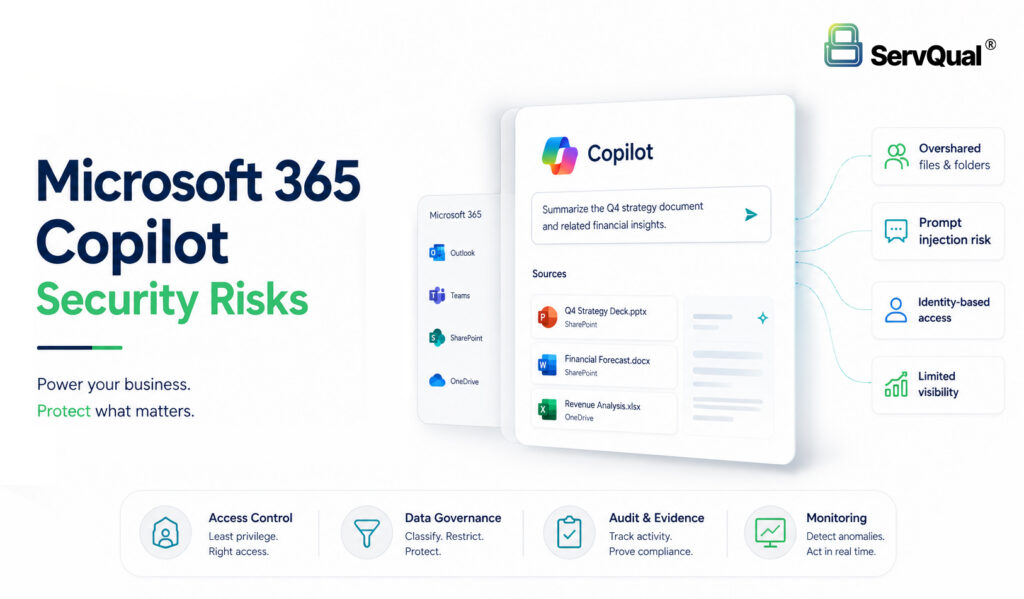
- AI-assisted M365 features introduce additional monitoring considerations. As organisations adopt Microsoft 365 Copilot and other AI-assisted features, SOC teams should review how these tools interact with existing DLP policies, Conditional Access configurations, and data access permissions. AI-generated content and actions may require dedicated monitoring policies.
Example Use Case: When M365 Defaults Create Business Risk
The Scenario
A UK financial services firm regulated by the FCA and subject to PCI-DSS ran Microsoft 365 E3 with basic DLP policies covering cardholder data. Safe Attachments, DMARC enforcement, and Conditional Access for standard users were not configured. The security team was aware of the gaps but had not yet prioritised the hardening work.
What Happened
A finance team employee received a spearphishing email that appeared to come from the firm’s CFO rendered convincing in part because DMARC enforcement was absent and the sending domain was not authenticated. The attached Excel file contained a hidden macro which, when executed, harvested the employee’s Azure AD session token and transmitted it to an external server. Because Safe Attachments sandboxing was not active, the file was delivered and opened without detonation.
Using the harvested token, the attacker authenticated to Exchange Online without triggering MFA legacy authentication remained open and created an auto-forwarding rule redirecting all incoming email to an external Gmail account. The rule operated undetected for 23 consecutive days, exfiltrating wire transfer instructions, counterparty banking details, and commercially sensitive correspondence. The breach was identified not by the firm’s internal systems but by a partner bank that noticed anomalous email traffic patterns.
Business Impact
The firm was required to self-report to the FCA under GDPR Article 33 within 72 hours of identifying the breach. A third-party forensic investigation costing six figures confirmed the scope of data exfiltration. Remediation required a four-month programme to implement the missing controls across the tenant, supported by external specialist resource. Reputational and regulatory consequences followed.
M365 Security Hardening Checklist for Regulated Enterprises
The following eight controls form a recommended security baseline for regulated M365 deployments, mapped to the CIS M365 Foundations Benchmark and aligned with the compliance frameworks in Section 05. Availability of specific capabilities should be validated against your Microsoft 365 licensing plan before implementation.
| # | Control | Compliance / Framework Relevance |
|---|---|---|
| 1 | Enable Microsoft Purview DLP policies for all regulated data types, including personal data, health records and payment card numbers. Run in simulation mode first, then enforce. Extend coverage to Teams, SharePoint and OneDrive. | GDPR Art. 32 · HIPAA Security Rule · PCI-DSS Req 12 |
| 2 | Configure email authentication: DMARC with p=reject, DKIM and SPF for every domain your organisation sends email from, to reduce the risk of domain spoofing and Business Email Compromise. | NIST CSF PR.PT-3 · CIS M365 Benchmark |
| 3 | Activate email threat protection via Defender for Office 365 Safe Attachments, Safe Links and anti-phishing policies with executive impersonation detection. Confirm feature availability in your licence. | NIST CSF DE.CM-1 · CIS Control 9 |
| 4 | Enforce Conditional Access via Microsoft Entra ID: MFA for all users, device compliance checks, block legacy authentication protocols, disable SMTP AUTH on standard accounts and enable just-in-time admin access through PIM. | NIST SP 800-207 Zero Trust · CIS Control 6 · ISO 27001 A.9 |
| 5 | Block external email forwarding via an Exchange transport rule applied to all users. Audit existing forwarding rules across the tenant to identify any currently active rules. | GDPR Art. 32 · HIPAA · SOC 2 CC6 |
| 6 | Extend Unified Audit Log retention to a minimum of 12 months and integrate with a SIEM. This supports HIPAA audit trail obligations, PCI-DSS Requirement 10 and SOC 2 Type II evidence. | HIPAA · PCI-DSS Req 10 · SOC 2 CC7 |
| 7 | Review and govern third-party OAuth application access via Microsoft Entra ID. Require admin consent for new integrations, conduct periodic access reviews and revoke unused or high-risk grants. | SOC 2 CC6 · ISO 27001 A.9 · GDPR Art. 32 |
| 8 | Apply sensitivity labels and Rights Management encryption to regulated data types. Deploy mandatory classification policies where data sensitivity warrants persistent protection. | GDPR data minimisation · NIST PR.DS-1 · HIPAA |
How ServQual and SUSAN Help with M365 Security and Compliance
M365 security posture is not a one-time project. Threats evolve, tenants change as staff and applications are added and removed, and regulatory requirements are updated. ServQual and its platform SUSAN support regulated enterprises in assessing, improving, and evidencing M365 security and compliance posture on a continuous basis:
| ServQual Capability | What It Delivers |
|---|---|
| SUSAN | SUSAN helps connect M365 security and compliance signals with governance visibility, risk context, remediation ownership, compliance dashboards, and audit evidence across security, privacy, and GRC workflows. |
| GRC & Audits | Produces compliance dashboards and audit evidence packages mapped to GDPR, HIPAA, PCI-DSS, ISO 27001, SOC 2, and NIST CSF, reducing audit preparation time and supporting evidence collection. |
| Cybersecurity / vCISO | M365 Security Baseline Assessment, Conditional Access architecture design, Defender for Office 365 tuning, and a phased hardening roadmap with board-ready reporting. |
| Incident Response & SOC | Supports integration of M365 audit logs with security operations and SIEM workflows; assists with detection engineering and containment planning for email and identity incidents. |
| Privacy by Design | Data classification aligned to M365 sensitivity labels, GDPR data subject rights workflows, encryption, and key management guidance for regulated data types. |
ServQual source material references integrations across Sentinel, M365, and security operations workflows. Exact integration scope should be validated against the customer’s environment and enabled connectors.
References
NIST SP 800-207 Zero Trust Architecture · NIST SP 800-53 Rev 5 · CIS Microsoft 365 Foundations Benchmark · Microsoft Purview DLP · Defender for Office 365 · Microsoft Entra Conditional Access · Microsoft Sentinel · MITRE ATT&CK · Verizon 2025 DBIR · GDPR Article 32 · HIPAA Security Rule · PCI-DSS v4.0 · ISO/IEC 27001:2022
"In regulated enterprises, Microsoft 365 security must be configured, monitored and evidenced continuously."

Himanshu Warulkar
Front End Engineer | ServQual
FAQ
Most frequent questions and answers
Microsoft Purview DLP provides the technical foundation but does not deliver out-of-the-box regulatory compliance. GDPR Article 32 and the HIPAA Security Rule both require demonstrable, documented technical controls tailored to the organisation’s specific data types, tested for effectiveness, and reviewed periodically. A default DLP deployment with no policy tuning, no simulation mode testing, and no ongoing monitoring is unlikely to satisfy a regulatory auditor.
Many of the highest-impact gaps absent email authentication records, ungoverned third-party OAuth application access, and unrestricted external email forwarding can be addressed using native M365 capabilities without requiring additional licensing expenditure. Capabilities such as Defender for Office 365 Plan 2 or advanced DLP features may require a licence review. In practice, the financial, regulatory, and operational cost of leaving these gaps in place significantly exceeds the cost of addressing them.
Yes. DLP policies have limitations. An employee can print a sensitive document, use a personal device outside the M365 environment, photograph a screen, or exploit a legitimate DLP policy exception workflow. Microsoft Purview Insider Risk Management extends detection by correlating behavioural signals such as high-volume downloads preceding a departure date with DLP alert data. It is a complementary control, not a replacement for DLP.
Microsoft Purview DLP applies policy-based controls to data within the core M365 workloads Exchange Online, Teams, SharePoint, and OneDrive. Microsoft Defender for Cloud Apps (MCAS) extends visibility and control to third-party SaaS applications, provides shadow IT discovery, and can apply session-level conditional access controls to unsanctioned applications. For regulated enterprises managing data across M365 and connected third-party platforms, both may be relevant and complementary.
Conditional Access implements Zero Trust by evaluating a range of signals user identity, device compliance status, sign-in risk score, geographic location, and application sensitivity on a per-request basis before granting access to M365 resources. This replaces the assumption that users inside the network perimeter are trusted, with a model in which every access request is explicitly verified. For regulated enterprises, Conditional Access policies should be aligned with NIST SP 800-207 to provide a documented, framework-aligned basis for the controls.
Common audit evidence requests in M365-related assessments include: exported DLP policy configurations and simulation mode effectiveness results; Conditional Access policy documentation, named location configurations, and sign-in log samples; Unified Audit Log retention settings and SIEM export capability evidence; third-party OAuth application access review records with dates and decisions; sensitivity label deployment documentation and classification policy exports; and DLP incident records including policy matches, exception justifications, and any override approvals. This evidence should be maintained as a continuously updated package rather than compiled reactively at audit time.
Strengthen M365 DLP and Email Security
Regulated enterprises cannot rely on Microsoft 365 defaults alone. DLP, email authentication, threat protection, Conditional Access, external forwarding controls, audit logging and SIEM integration must be configured, monitored and evidenced. ServQual helps organizations assess Microsoft 365 security posture, reduce email and data leakage risks, improve SOC visibility and prepare audit-ready evidence.
Explore SUSAN or contact ServQual to connect M365 security findings, compliance evidence, remediation ownership and Continuous Assurance into one structured governance view.
Disclaimer:This article is for general informational purposes only and does not constitute legal, compliance, or security advice. Microsoft, Microsoft 365, Microsoft Purview, Microsoft Defender, Azure Active Directory, Microsoft Entra, Microsoft Sentinel, MITRE ATT&CK, NIST, CIS, GDPR, HIPAA, PCI-DSS, ISO 27001, and SOC 2 are trademarks or standards of their respective owners; references reflect framework and platform alignment, not endorsement. Exact Microsoft 365 feature availability depends on licensing tier and tenant configuration validate all controls against your own environment, Microsoft’s current documentation, and applicable legal or compliance guidance before implementation.