An AWS security assessment helps organizations identify cloud security gaps across identity, storage, logging, compute, backup and compliance evidence. The most important areas to review first are IAM users and roles, S3 bucket exposure, CloudTrail coverage, GuardDuty and Security Hub alerts, security groups, workload patching and backup restore readiness.
A strong AWS assessment should not only find misconfigurations. It should assign ownership, prioritize risk, map findings to compliance requirements and maintain audit-ready evidence for frameworks such as ISO 27001, SOC 2, PCI DSS and HIPAA.
Executive Summary
AWS environments change quickly. New IAM roles, access keys, S3 buckets, security groups, EC2 instances, Lambda functions and container workloads can be created faster than traditional audits can review them. Many AWS security incidents are caused by customer-side configuration gaps rather than failure of the underlying AWS infrastructure.
An AWS security assessment should focus first on identity, storage, logging and compute. These areas determine who can access resources, whether sensitive data is exposed, whether activity is visible during an incident and whether workloads are hardened.
For regulated organizations, AWS security assessment evidence can support ISO 27001, SOC 2, PCI DSS, HIPAA and internal audit readiness. ServQual helps organizations assess AWS security posture, while SUSAN can support continuous cloud security validation, risk visibility, remediation tracking and audit-ready evidence.
The Problem: AWS Security Gaps Build Quietly
Many AWS security incidents are caused by customer-side configuration gaps rather than failure of the underlying AWS infrastructure. An admin policy gets attached to make a deployment work and is never removed. A bucket gets made public for a quick file share. Logging gets enabled in one region and forgotten everywhere else.
AWS secures the physical data centers, the hypervisor and the underlying network under the shared responsibility model. Everything configured on top, IAM policies, bucket permissions, security groups and encryption settings, remains the customer’s responsibility to review and maintain.
Why AWS Security Assessment Matters
An overly broad IAM role can turn a minor issue, such as a leaked access key from a CI/CD pipeline, into a much larger account compromise. A public S3 bucket can expose sensitive data without any additional attacker effort. Without adequate logging, it becomes difficult to reconstruct what happened during an incident.
Cloud misconfiguration remains among the most common and high-impact causes of data breaches across industries. Environments change constantly as new services are deployed and access is granted, so a review process that only happens once a year is rarely enough on its own.
AWS Shared Responsibility and Customer-Side Risk
Under the AWS shared responsibility model, AWS is responsible for the security of the cloud, meaning the physical infrastructure, hardware and global network. The customer is responsible for security in the cloud, meaning how IAM, storage, networking, encryption and logging are configured for their specific workloads.
This distinction matters because most of the findings in a typical AWS assessment are not defects in AWS itself. They are configuration decisions, often made under time pressure, that were never revisited.
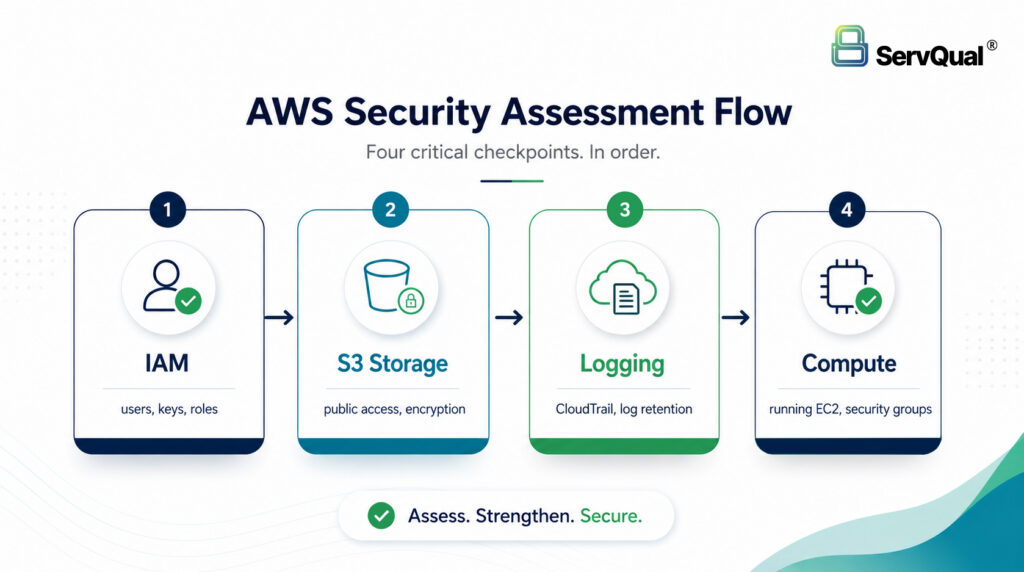
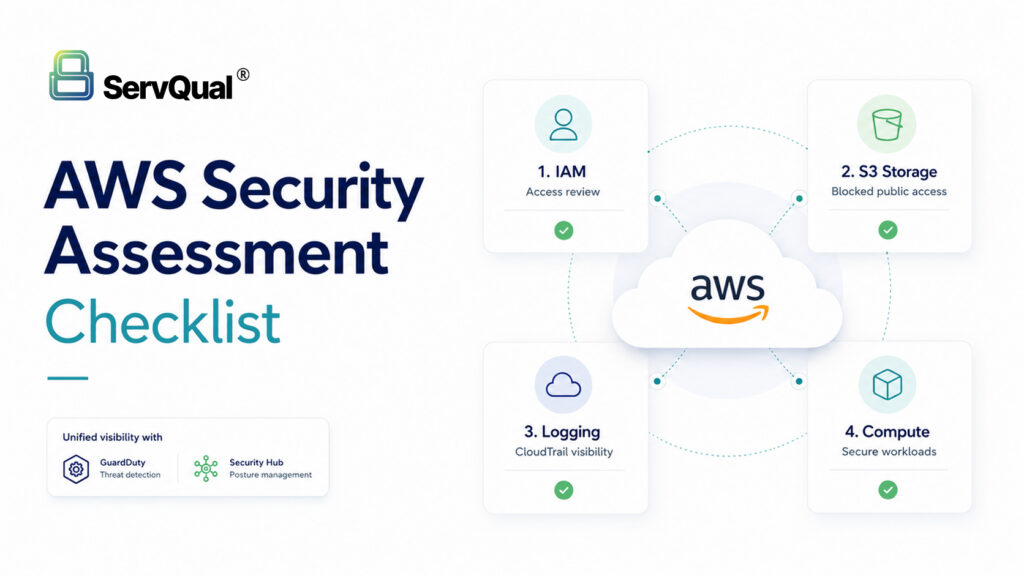
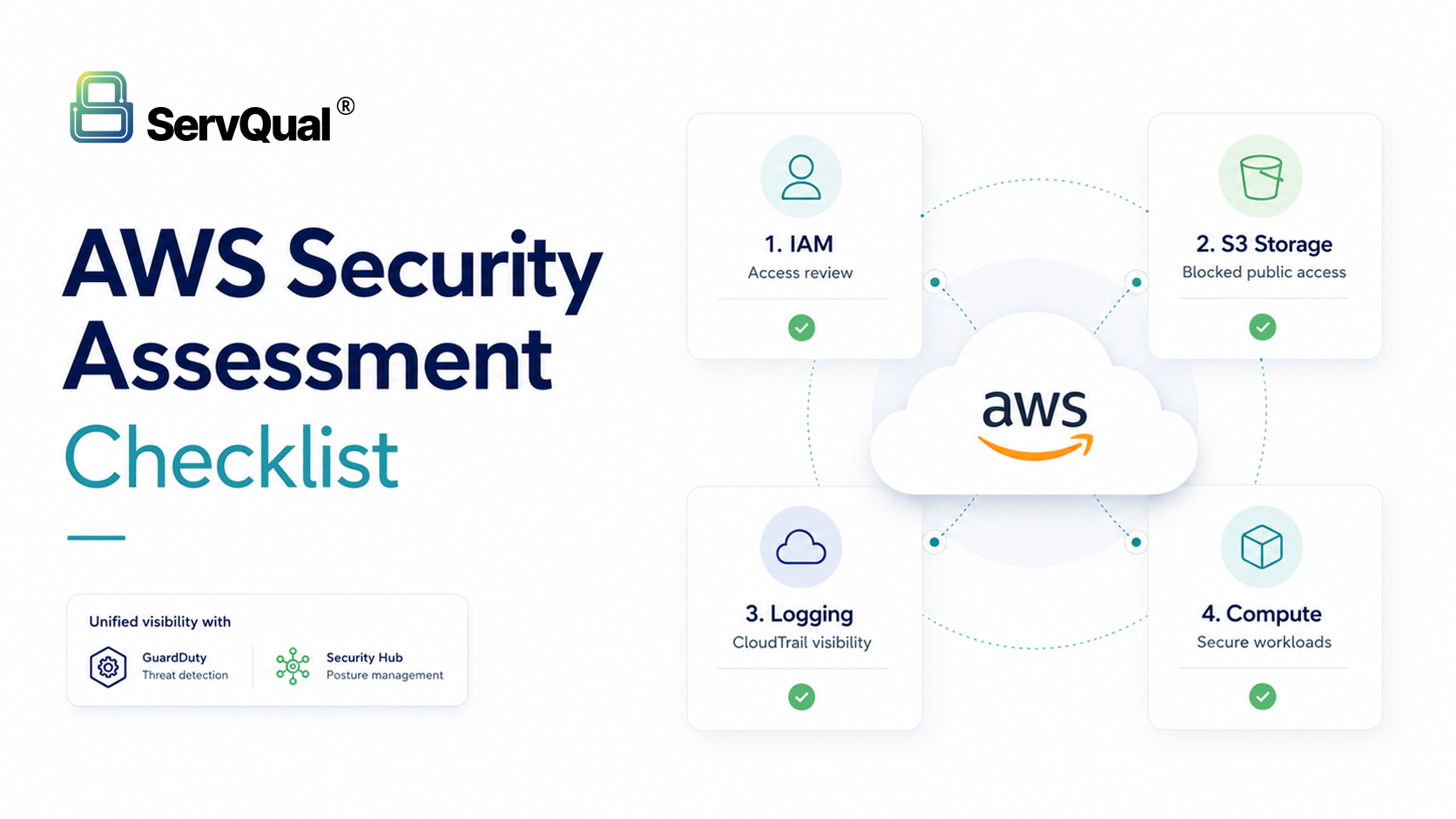
AWS Security Assessment Checklist: Four Areas to Review First
A structured AWS assessment consistently comes back to four areas that determine most of an account’s real-world risk: identity and access management, S3 and storage, logging and detection, and compute.
The four areas worth checking first, in order.
IAM Security: Users, Roles, Keys and MFA
List every user, role and group, and remove anything stale or unused. Rotate or deactivate access keys older than 90 to 180 days. Enable IAM Access Analyzer across every region so resources shared outside the account are surfaced. Require MFA on the root account and on every privileged user, and prefer short-lived STS credentials over long-lived static access keys where possible.
Cross-Account IAM Trust Reviews
Enterprise AWS environments rarely run as a single account. Multi-account setups under AWS Organizations, third-party vendor access, and CI/CD platforms that assume roles into a target account all rely on cross-account trust policies, and those trust relationships are reviewed far less often than in-account IAM.
Review every role that can be assumed from another account, and confirm the trust policy is scoped to specific account IDs rather than a wildcard principal. For any role assumable by a third party, such as a monitoring vendor or a CI/CD provider, confirm an external ID condition is required, since this is what prevents the confused deputy problem where another customer of that same vendor could otherwise assume the role. In an AWS Organizations setup, map which accounts can assume which roles across the organization, and confirm that a compromise in a lower-trust account, such as a sandbox or development account, cannot be used to assume a role into production.
S3 and Storage Security: Public Access, Encryption and Versioning
Check every bucket for public read or write access, and enable Block Public Access at the account level unless there is a documented, approved reason to allow it. Enable default encryption using SSE-KMS, turn on versioning for buckets holding important data, and enable S3 server access logging so there is a record of who accessed what.
Logging and Detection: CloudTrail, GuardDuty and Security Hub
Enable CloudTrail in every region with log file validation turned on, and send logs to a centralized, access-restricted location. Pair this with GuardDuty for threat detection and Security Hub to bring findings from GuardDuty, Inspector, Macie and Access Analyzer into a single view scored against CIS AWS Foundations Benchmark. Enable VPC Flow Logs for any network that carries meaningful risk.
Compute Security: Security Groups, EC2, Lambda and Containers
Review security groups for ports such as SSH (22) or RDP (3389) left open to the entire internet, since these are commonly targeted within minutes of exposure. Run AWS Inspector or an equivalent vulnerability scanner against EC2 instances, Lambda functions and container images, keep them patched, and prefer instance roles over embedding long-lived credentials directly in compute resources.
Backup, Recovery and Restore Readiness
Backups that exist but have never been tested are a common blind spot. Confirm that backups are actually running for critical data stores, that they are encrypted, and that access to backup data is restricted the same way production access would be. Just as important, periodically test a real restore. A backup that fails during an actual incident provides little value regardless of how consistently it ran.
Compliance Impact: ISO 27001, SOC 2, PCI DSS and HIPAA
These four areas map closely to requirements across major compliance frameworks. SOC 2’s CC6 control family expects documented access control and monitoring. HIPAA’s Security Rule (45 CFR 164.312) calls for access controls and audit logging for systems handling patient data. PCI DSS Requirements 7 and 8 largely restate least-privilege IAM and strong authentication. ISO 27001 Annex A controls covering access control, cryptography and logging align closely with what this checklist covers.
A documented AWS assessment, with dated findings and remediation status, can serve as direct evidence when an auditor asks how access is controlled or how a suspicious event would be investigated.
Example Use Case: Small AWS Gaps Becoming Real Breach Risk
Consider a mid-sized company that has run on AWS for three years. An assessment using IAM Access Analyzer identifies four IAM roles with unused admin permissions, two of which belong to former contractors whose accounts were never deactivated. A marketing bucket from two years earlier is still public and contains an old customer export file. CloudTrail turns out to be enabled only in the primary region, leaving activity in a secondary region unlogged.
None of these findings look severe in isolation. Together, they describe a plausible path: a stolen contractor credential exploring the account, a public bucket handing over real data, and no logging in the secondary region to catch any of it. This is the pattern a structured assessment is designed to catch before it becomes an incident.
AWS Security Assessment Checklist
- Remove stale IAM users, roles, and keys
- Enforce MFA on root and all privileged accounts
- Rotate or deactivate access keys older than 90 to 180 days
- Enable IAM Access Analyzer in every region
- Review cross-account role trust policies for scoped principals and external ID conditions
- Map which accounts can assume which roles across an AWS Organization
- Review all S3 buckets for public read or write access
- Enable Block Public Access at the account level
- Enable default encryption and versioning on critical buckets
- Turn on CloudTrail everywhere with log file validation
- Enable GuardDuty and Security Hub for continuous monitoring
- Check security groups for 0.0.0.0/0 exposure on sensitive ports
- Run vulnerability scans on EC2, Lambda and container workloads
- Confirm backups exist, are encrypted, and access is restricted
- Test backup restores on a regular schedule, not only at setup
- Map findings to ISO 27001, SOC 2, PCI DSS or HIPAA evidence needs
How ServQual and SUSAN Help
ServQual helps organizations assess AWS security posture across identity, storage, logging, compute, backup and compliance evidence.
A point-in-time AWS assessment helps identify what is misconfigured today. SUSAN helps extend that visibility into a continuous assurance model by connecting AWS security findings with risk visibility, remediation ownership, control evidence and audit readiness.
With ServQual and SUSAN, organizations can:
- Review AWS IAM, S3, logging and compute risk
- Identify public storage exposure and misconfigured permissions
- Assess logging and detection coverage across CloudTrail, GuardDuty and Security Hub
- Track remediation ownership
- Map findings to ISO 27001, SOC 2, PCI DSS and HIPAA evidence needs
- Improve visibility across cloud, security and GRC teams
- Support audit-ready evidence for compliance reviews
- Move from periodic assessments toward continuous assurance
Explore SUSAN Cloud Security Validation
Explore SUSAN Continuous Monitoring & Evidence
"The cloud did not remove your security responsibilities. It changed where you have to prove them."

Meet Darji
Lead Vulnerability Assessment & Penetration Testing Engineer | ServQual
FAQ
Most frequent questions and answers
An AWS security assessment is a structured review of identity, storage, logging, compute and backup configuration to identify misconfigurations, excessive access and compliance gaps.
It defines which security tasks AWS handles and which ones the customer must handle. Most assessment findings fall on the customer side of that line, in configuration rather than infrastructure.
Enforcing MFA across privileged accounts and removing stale access keys typically closes off the most common entry points with relatively low effort.
IAM Access Analyzer is an AWS capability that identifies resources shared outside an account or organization, such as S3 buckets, KMS keys or IAM roles with external access.
Cross-account roles are assumed less frequently and reviewed less often than in-account permissions, which makes them an easy place for a wildcard principal or a missing external ID condition to go unnoticed for a long time.
Buckets are sometimes made public temporarily for convenience and never reverted. Automated internet scanners actively look for exactly this kind of exposure.
CloudTrail records account activity, GuardDuty analyzes that activity and other signals for threats, and Security Hub aggregates findings from GuardDuty and other AWS security services into a single view.
At least annually is a reasonable baseline, with more frequent reviews for environments that change often. Continuous monitoring can help cover the gap between formal assessments.
Findings and remediation evidence from an AWS assessment can support control requirements under ISO 27001, SOC 2, PCI DSS and HIPAA, depending on the organization’s applicable framework.
SUSAN can help connect AWS security findings with risk visibility, remediation ownership, control evidence and audit readiness as part of a continuous assurance workflow.
Strengthen AWS Security Before Gaps Become Incidents
AWS security assessments help identify excessive IAM permissions, exposed storage, weak logging, missing threat detection and compute misconfigurations before attackers can exploit them.
ServQual helps organizations review AWS identity, S3, logging, detection and compute security, then map findings to compliance evidence and remediation priorities. Explore SUSAN or contact ServQual to connect AWS security findings, risk ownership, compliance evidence and Continuous Assurance into one structured governance view.
Disclaimer: This article is provided for general informational and educational purposes only and does not constitute legal, compliance or professional security advice. Product capabilities, licensing and features referenced may change over time and should be verified against current vendor documentation. Organizations should assess their own environment and consult qualified legal, compliance or security professionals before acting on this content.