Short Summary
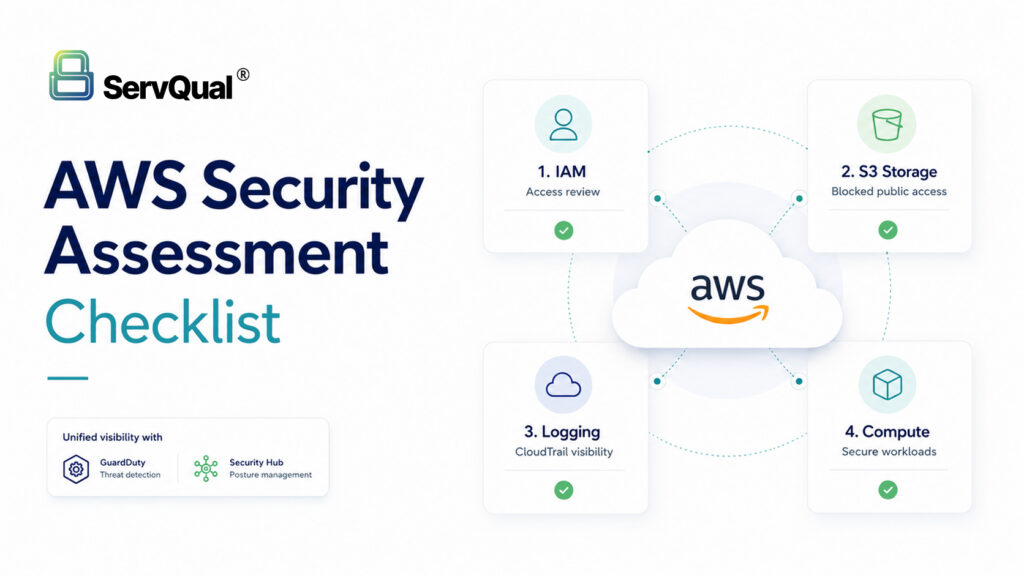
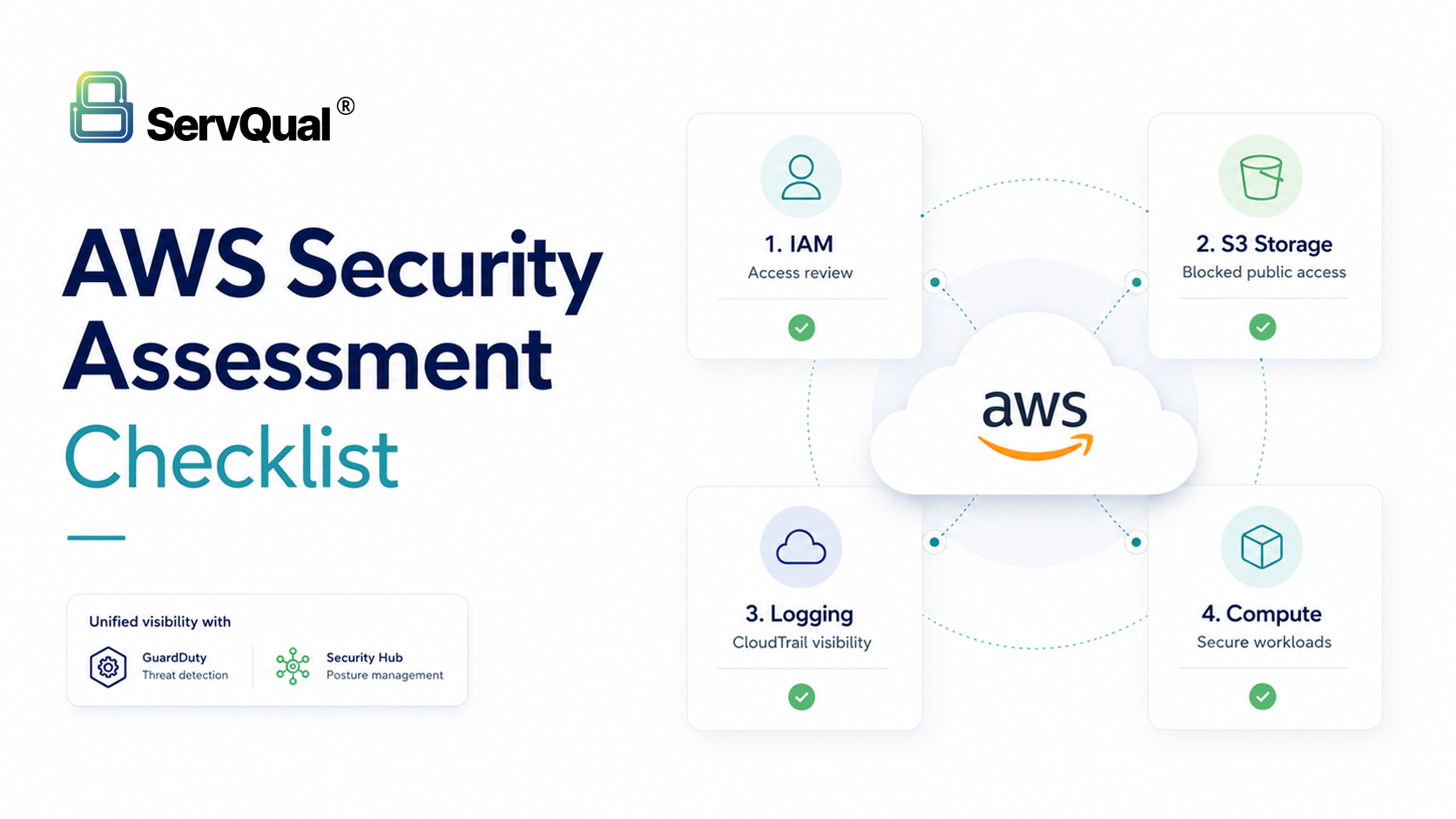
AWS makes it easy to move fast, but one loose IAM policy or one open S3 bucket can undo years of good work. This checklist covers the four areas behind almost every real AWS incident: identity, storage, logging, and compute.
The Problem
Most AWS breaches are not caused by a flaw in AWS itself. They happen because someone left the door open: an admin policy attached to make a deployment work, a bucket made public for a quick file share, logging enabled in one region and forgotten everywhere else.
AWS secures the data centers and hardware. Everything you configure on top, IAM, buckets, security groups, encryption, is on you.
Why It Matters
One overly broad IAM role can turn a small leak, like a stolen access key, into a full account takeover. One public bucket can expose years of customer data. Without logging, you cannot even tell what happened after the fact.
Cloud misconfiguration remains one of the top causes of data breaches, year after year, across every industry.
Technical Explanation
IAM: List every user, role, and group. Remove anything stale. Rotate keys older than 90 days. Turn on IAM Access Analyzer in every region. Require MFA everywhere, especially for root.
S3 and storage: Check every bucket for public access. Turn on Block Public Access at the account level. Enable default encryption, versioning, and access logging on anything that matters.
Logging: Enable CloudTrail in every region with log file validation on. Send logs to one central, locked-down location. Turn on GuardDuty and Security Hub for continuous alerts.
Compute: Check security groups for ports like SSH or RDP open to the whole internet. Run vulnerability scans on EC2, Lambda, and containers. Keep images and instances patched.
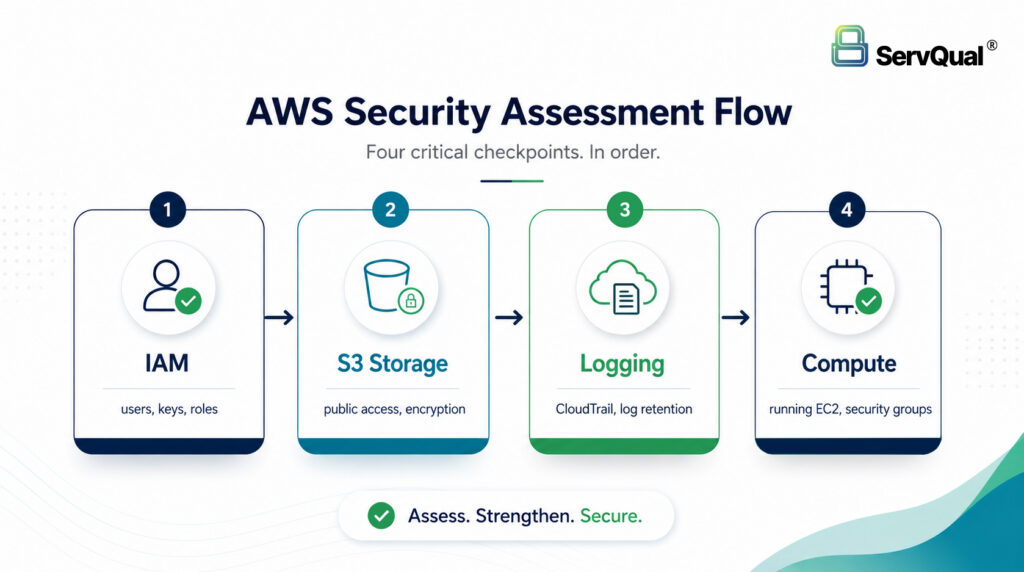
The four areas worth checking first, in order.
Compliance Impact
These four areas map directly to SOC 2, HIPAA, PCI DSS, and ISO 27001. Auditors ask exactly these questions: who has access, is it encrypted, is it logged. A documented assessment is ready-made evidence.
Example Use Case
A three-year-old SaaS account we assessed had four IAM roles with unused admin rights, two belonging to former contractors. A marketing bucket from two years back was still public with an old customer export inside. CloudTrail was only logging in one region. Individually minor, together a real breach waiting to happen.
Checklist
- Remove stale IAM users, roles, and keys
- Enforce MFA on root and all privileged accounts
- Enable IAM Access Analyzer in every region
- Block public access on S3 at the account level
- Enable default encryption and versioning on critical buckets
- Turn on CloudTrail everywhere with log file validation
- Enable GuardDuty and Security Hub
- Check security groups for 0.0.0.0/0 on sensitive ports
- Run vulnerability scans on compute workloads
- Confirm backups exist, are encrypted, and actually restore
How ServQual or SUSAN Helps
ServQual runs full AWS assessments combining automated scanning with hands-on manual review, mapped to CIS Benchmarks and whatever compliance framework you need.
This is also exactly the kind of work SUSAN, ServQual’s own GenAI-powered GRC platform, is built to carry forward once the one-time assessment is done. A manual audit gives you a snapshot; SUSAN keeps that snapshot current. It connects directly to AWS and continuously pulls in configuration data, evidence, and alerts, then uses AI to score risk in real time and flag drift the moment an IAM policy loosens or a bucket goes public, instead of waiting for next year’s review to catch it.
SUSAN also maps every finding to the frameworks you actually report against, ISO 27001, SOC 2, NIST, or India’s DPDP Act, so the evidence an auditor wants is already organized rather than assembled under deadline pressure. Practically, that means the manual assessment and SUSAN work together: ServQual’s engineers find and fix what is broken today, and SUSAN keeps watching so the same drift does not quietly build back up over the next twelve months. It is free to start using, and support runs UK, USA, and India follow-the-sun, so there is always someone awake to help.
"The cloud did not remove your security responsibilities. It changed where you have to prove them."

Meet Darji
Lead Vulnerability Assessment & Penetration Testing Engineer | ServQual
FAQ
Most frequent questions and answers
At least yearly, quarterly if your environment changes often. Continuous monitoring should run all the time.
They catch a lot, but miss business context, like whether a public bucket is actually intentional. Manual review closes that gap.
MFA everywhere plus removing stale access keys. Together they close the most common entry points.
No, and it is not meant to. A manual assessment finds business-logic issues a platform cannot reason about on its own. SUSAN’s job is to keep watching after that assessment, so new drift gets caught immediately instead of at next year’s review.
Yes. SUSAN is built to connect across AWS, Azure, Google Cloud, and Microsoft 365, so you get one risk view instead of separate dashboards per provider.
Strengthen AWS Security Before Gaps Become Incidents
AWS security assessments help identify excessive IAM permissions, exposed storage, weak logging, missing threat detection and compute misconfigurations before attackers can exploit them.
ServQual helps organizations review AWS identity, S3, logging, detection and compute security, then map findings to compliance evidence and remediation priorities. Explore SUSAN or contact ServQual to connect AWS security findings, risk ownership, compliance evidence and Continuous Assurance into one structured governance view.