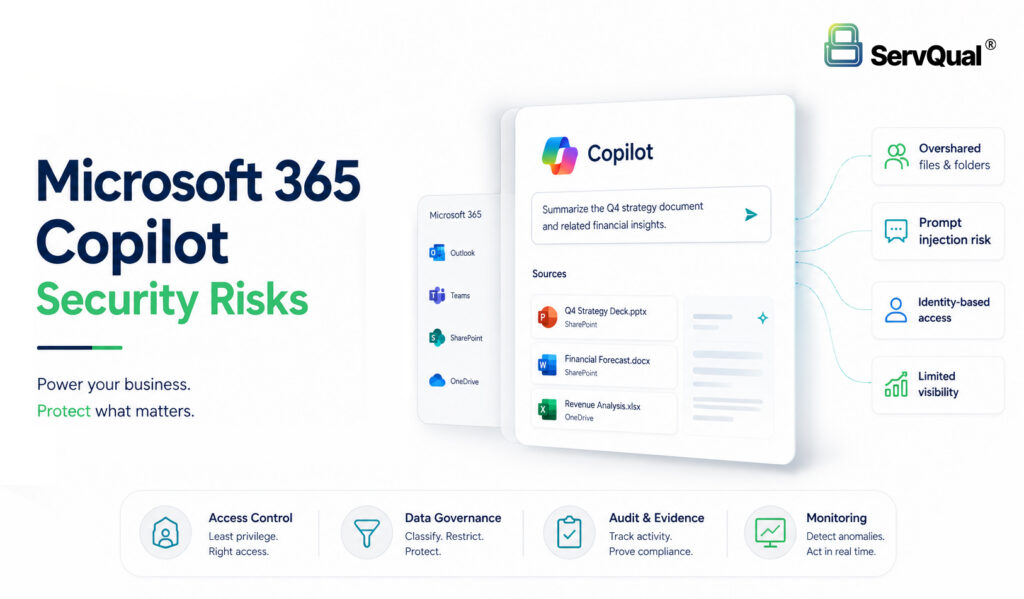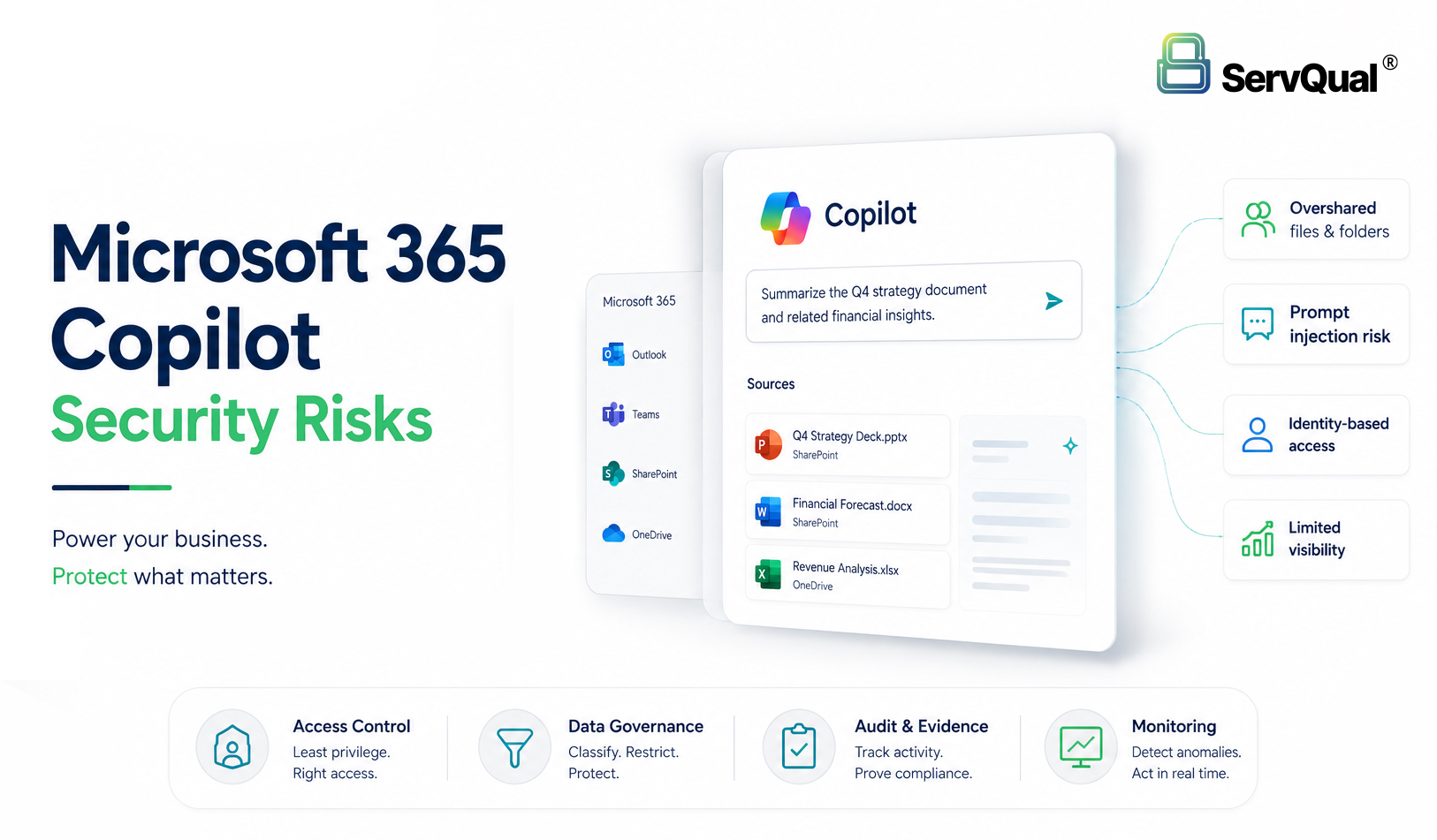
Microsoft 365 Copilot security risks include overshared SharePoint and OneDrive content, prompt injection through documents or emails, sensitive data exposure, compromised identity abuse, weak audit evidence and compliance gaps. Because Copilot uses Microsoft Graph and works within the user’s existing permissions, poor access control and data governance can become visible much faster.
Securing Copilot requires more than enabling the feature. Organizations need Zero Trust identity controls, least privilege permissions, data classification, DLP, sensitivity labels, SOC monitoring, audit logging, AI governance and continuous assurance before Copilot is widely adopted.
Executive Summary
Microsoft 365 Copilot can improve productivity by helping users summarize, search and reason across enterprise content. It can also expose long-standing Microsoft 365 governance weaknesses. Overshared SharePoint sites, broad OneDrive permissions, unmanaged Teams content and weak data classification can become easier to discover through AI-assisted retrieval.
The biggest Copilot security risk is not that Copilot creates new access by itself. The risk is that Copilot can surface data the user already has access to but should not realistically need. This makes identity governance, least privilege, sensitivity labeling, DLP and access reviews more important before deployment.
Copilot also creates AI security concerns, including prompt injection, malicious document instructions, AI-assisted reconnaissance by compromised identities and weak auditability around AI-generated outputs.
For CISOs, SOC teams, DPOs and GRC leaders, Copilot readiness should include security, privacy, compliance and audit evidence controls. ServQual and SUSAN can support this by helping teams connect Copilot-related risk visibility, control gaps, remediation ownership and compliance evidence into a continuous assurance model.
Why Microsoft 365 Copilot Changes Enterprise Security
Microsoft 365 Copilot connects deeply with the Microsoft 365 ecosystem. It can use Microsoft Graph context, user prompts and organizational content to produce relevant responses in Microsoft 365 apps and Copilot experiences. That makes Copilot powerful, but it also changes how security teams should think about access, discovery and governance.
In many organizations, sensitive content is not always protected by strong access governance. A user may technically have access to a confidential SharePoint document, old OneDrive folder, Teams file or business report, even when that access is no longer appropriate. Before AI-assisted retrieval, this data might have remained difficult to find. Copilot can make that same information easier to locate, summarize and reuse.
This does not mean Copilot bypasses permissions. The real risk is permission reality. If users, groups, guests, sharing links, OAuth applications or collaboration spaces have excessive access, Copilot can reflect those access decisions in the answers it produces.
For security leaders, Copilot readiness is therefore a data governance, identity security, SOC visibility and compliance evidence problem. It should be treated as part of the enterprise security program, not only as a productivity rollout.
The Copilot Attack Surface: Microsoft Graph, SharePoint, Teams, OneDrive and Exchange
Microsoft 365 Copilot relies on Microsoft 365 services and Microsoft Graph to provide user-specific context. Depending on the user’s access and the app experience, relevant content can include emails, chats, meetings, documents, files and collaboration signals.
The Copilot attack surface is not a single AI model. It is the full chain of identity, permissions, Microsoft Graph-connected content, SharePoint and OneDrive governance, Teams collaboration, Exchange data, DLP, sensitivity labels, audit logs and connected applications.
A weak Copilot rollout usually starts with weak data foundations. Common examples include organization-wide sharing links, stale group memberships, guest access drift, ownerless sites, excessive OAuth consent, sensitive documents without labels, and limited evidence that reviews were completed before rollout.
Risk 1: Oversharing and Internal Data Exposure
Oversharing is the most immediate Microsoft 365 Copilot security risk. Many enterprises have years of inherited SharePoint permissions, broad OneDrive sharing links, guest accounts and Teams spaces that were created for speed rather than long-term governance.
When a user asks Copilot to summarize sensitive business information, Copilot can reference content that the user is authorized to access. If that access is too broad, the output can expose HR data, finance records, legal documents, customer information, intellectual property or regulated data to people who do not need it for their role.
This is why permission reviews before Copilot rollout are critical. The question is not only “Can the user access the file?” The stronger governance question is “Should the user still have access, and can we prove the access was reviewed?”
Risk 2: Prompt Injection in Documents, Emails and RAG Sources
Prompt injection occurs when content interpreted by an AI system influences the model’s behavior or output in unintended ways. In a Microsoft 365 environment, this risk can appear in user prompts, documents, emails, tickets, web content, knowledge articles or other retrieved context.
Direct prompt injection happens when a user deliberately writes instructions intended to manipulate the model’s response. Indirect prompt injection happens when malicious or misleading instructions are hidden inside content that the AI system later reads or summarizes.
For Copilot and similar enterprise AI systems, the accurate risk framing is that hidden prompt instructions may influence summaries, recommendations, retrieved context or user actions, especially where permissions, plugins, connectors or workflow integrations are not governed. Organizations should avoid assuming that prompt filtering alone is enough. They need content trust, source validation, DLP, audit logs and human review for sensitive workflows.
Risk 3: Compromised Identity and Accelerated Data Discovery
A compromised Microsoft 365 identity is already a serious security incident. Copilot can make the discovery phase easier for an attacker because the attacker may use the compromised user’s access context to search, summarize and identify valuable information faster.
The core issue is not that Copilot grants new permissions. The issue is that a compromised identity inherits the access rights, search visibility and collaboration context of the legitimate user. If that user has excessive access, the attacker’s discovery path becomes wider.
SOC teams should therefore correlate Copilot-related activity with identity risk, impossible travel, device compliance, token abuse, OAuth consent activity, unusual file access, DLP events, mass download behavior and privileged role changes.
Risk 4: Sensitive Data, PII and Compliance Exposure
Copilot can increase privacy and compliance risk when sensitive or personal data is overshared, retrieved, summarized or exposed to users who do not need it for their role.
For GDPR, India’s DPDP Act and ISO 27001 aligned environments, the key requirement is evidence. Organizations should be able to show that access control, data protection, monitoring and incident response controls are defined, implemented and operating in practice.
Avoid treating Copilot readiness as only a technical enablement checklist. It should be connected to privacy impact assessment, records of processing, data classification, DLP, retention, incident response, security monitoring and audit evidence.
Microsoft 365 Copilot Security Readiness Checklist
Before enabling or expanding Microsoft 365 Copilot, organizations should validate the following controls:
- Review SharePoint and OneDrive permissions for oversharing.
- Identify sensitive HR, finance, legal, customer, intellectual property and regulated data repositories.
- Apply data classification and sensitivity labels where required.
- Review whether users can access more information than their role requires.
- Restrict anonymous and organization-wide sharing links.
- Review guest access and external collaboration settings.
- Validate DLP policies for sensitive and regulated content.
- Review Microsoft Graph-connected applications and excessive OAuth permissions.
- Monitor unusual Copilot-assisted access patterns and large-scale data discovery behavior.
- Review prompt injection exposure in emails, documents, tickets and untrusted content.
- Define acceptable use rules for AI-generated summaries, recommendations and decision support.
- Maintain audit evidence for Copilot rollout decisions, permission reviews, data protection controls and remediation actions.
- Connect Copilot risks with privacy, GRC, SOC and incident response workflows.
Security and SOC Implications
Microsoft 365 Copilot changes what SOC teams need to monitor. A Copilot-related incident may not look like malware or a traditional intrusion. It may appear as a user retrieving sensitive information, summarizing restricted documents, querying unusual topics or accessing data at unusual scale.
SOC teams need visibility into identity activity, Microsoft 365 audit logs, SharePoint and OneDrive access, Exchange activity, Teams content access, OAuth applications, DLP events, Copilot interaction signals where available and unusual data discovery behavior.
When Copilot is deployed, SOC teams should monitor:
- Abnormal data access by users or service accounts.
- Unusual SharePoint or OneDrive retrieval patterns.
- Suspicious OAuth consent activity.
- Excessive access to sensitive repositories.
- Data export or copy activity.
- Prompt injection indicators in documents or emails.
- Compromised identity behavior.
- DLP and sensitivity label violations.
- SIEM and XDR correlation across endpoint, identity and cloud logs.
Copilot security should be treated as part of cloud security, identity security, data protection and incident response.
Compliance Impact: DPDP, GDPR, ISO 27001 and Audit Evidence
Microsoft 365 Copilot can increase privacy and compliance risk when sensitive or personal data is overshared, retrieved, summarized or exposed to users who do not need it for their role.
For GDPR, DPDP and ISO 27001 aligned environments, organizations need evidence that access control, data protection, monitoring and incident response controls are operating in practice. For ISO 27001, avoid using outdated or inaccurate clause references. The safer framing is to map Copilot readiness to relevant controls such as asset inventory, information classification, access control, identity management, logging, monitoring, DLP, supplier or connector governance and incident management.
Useful Copilot readiness evidence includes:
- Data classification records.
- Sensitivity label configuration.
- SharePoint and OneDrive permission reviews.
- Guest access and external sharing reviews.
- DLP policy evidence.
- Conditional Access and identity control evidence.
- OAuth application review records.
- Audit log and retention settings.
- Copilot rollout approval records.
- Security review and risk assessment records.
- Remediation ownership and status.
- Incident response and investigation evidence.
The goal is not only to deploy Copilot. The goal is to prove that Copilot is operating within governed, monitored and auditable boundaries.
How ServQual and SUSAN Support Copilot Security Readiness
ServQual helps organizations strengthen Microsoft 365 and AI security through cybersecurity services, Secure by Design, Privacy by Design, cloud security, incident response, managed security, GRC and audit readiness capabilities.
For Microsoft 365 environments, ServQual security operations support SIEM, EDR and XDR monitoring, M365 cloud security, identity threat detection, ransomware and data exfiltration detection, real-time alert triage, incident response, threat hunting and attack surface monitoring.
ServQual also helps organizations translate Microsoft 365 Copilot security findings into business risk, compliance impact and remediation priorities through structured cybersecurity, GRC and continuous assurance workflows.
SUSAN helps connect security operations with governance and compliance by linking technical findings, control gaps, business risk, regulatory impact, remediation workflows, compliance dashboards and audit views.
For Microsoft 365 Copilot readiness, SUSAN can support teams by helping organize:
- Copilot security and AI governance risks.
- M365 collaboration risk visibility.
- DLP and data exposure context.
- Identity and access control findings.
- SOC and SIEM evidence.
- Remediation ownership.
- Compliance evidence.
- Leadership-level risk visibility.
- Continuous assurance across security, privacy and GRC workflows.
This helps organizations move from isolated Copilot readiness checks to a clearer assurance view across cybersecurity, privacy, compliance and operations.
Explore Relevant ServQual Services
"Copilot does not create access, but it can expose the access you forgot to govern."

Shubham Choudhari
Security Engineer | ServQual
FAQ
Most frequent questions and answers
Microsoft 365 Copilot security risks include overshared SharePoint and OneDrive content, prompt injection, sensitive data exposure, compromised identity abuse, weak audit evidence and compliance gaps.
Copilot can make information easier to discover and summarize. If users already have excessive access to sensitive files, Copilot can surface that content in ways that make oversharing more visible and more impactful.
No. Microsoft 365 Copilot is designed to access only data the user is authorized to access. The risk is that existing permissions may already be too broad, stale or poorly governed.
Prompt injection is when instructions in prompts, documents, emails or other content influence the AI system’s behavior or output in unintended ways. In Copilot readiness, teams should review untrusted content, connectors, plugins, workflow integrations and sensitive decision flows.
A compromised identity may use the legitimate user’s access context to search, summarize and discover sensitive information faster. This makes identity protection, Conditional Access, MFA, device compliance and SOC correlation important.
SharePoint and OneDrive often contain old, overshared or ownerless content. Reviewing permissions helps reduce the chance that Copilot surfaces sensitive information to users who do not need it.
Copilot can increase privacy risk when personal data is overshared, retrieved or summarized outside a valid business need. Organizations should connect Copilot rollout to privacy governance, access control, DLP, audit logs and evidence collection.
SOC teams should monitor identity behavior, Microsoft 365 audit logs, SharePoint and OneDrive access, Exchange activity, Teams content access, OAuth consent, DLP events, sensitivity label violations and unusual data discovery behavior.
ServQual can help assess Copilot readiness, strengthen Microsoft 365 security controls, improve SOC visibility, review data governance and connect AI adoption with GRC and audit evidence.
SUSAN supports Copilot governance by helping teams organize security risks, control gaps, remediation ownership, compliance evidence and leadership-level visibility into a continuous assurance view.
Ready to Secure Microsoft 365 Copilot Adoption?
Microsoft 365 Copilot can improve productivity, but unmanaged permissions, weak data governance and limited monitoring can create serious security, privacy and compliance exposure.
ServQual helps organizations assess Copilot readiness, strengthen Microsoft 365 security controls, improve SOC visibility and connect AI adoption with GRC and audit evidence. SUSAN helps teams connect security findings, risk ownership, compliance evidence and remediation workflows into a continuous assurance view.
Disclaimer:This article is educational and does not constitute legal, compliance or incident response advice. Microsoft 365 Copilot security controls, privacy obligations and regulatory requirements should be validated against the organization’s tenant configuration, data governance model, applicable laws, contracts, internal policies and professional guidance.