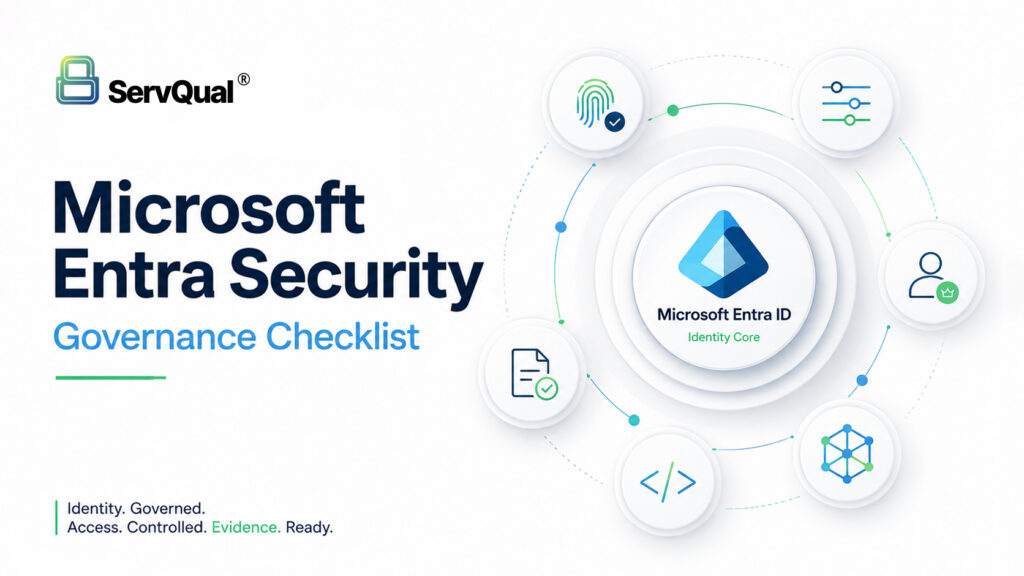
An Azure Entra security governance assessment helps organizations identify identity security gaps across MFA, Conditional Access, Privileged Identity Management, app registrations, service principals, managed identities, legacy authentication and audit evidence.
The highest-priority checks are to enforce MFA, block legacy authentication, reduce standing privileged access, review high-risk Graph API permissions, monitor service principal sign-ins and maintain evidence for ISO 27001, SOC 2, GDPR and DPDP-aligned access control requirements.
Executive Summary
Microsoft Entra ID sits in front of email, files, SaaS applications, cloud resources and connected business systems. That makes identity governance one of the highest-impact areas of enterprise security.
Most Entra risks build quietly over time. A test app registration remains active, a privileged role is never removed, legacy authentication stays enabled for one old workflow, or a service account keeps broad access after the project ends.
An Entra governance assessment should focus on Conditional Access, MFA, PIM, app registrations, service principals, managed identities, Graph API permissions and audit logging. For regulated organizations, these controls also support ISO 27001, SOC 2, GDPR, DPDP and Zero Trust access governance.
ServQual helps organizations assess identity governance risk, while SUSAN can support continuous visibility across identity risks, control evidence, remediation ownership and audit readiness.
The Problem: Entra Governance Drift
Entra tenants tend to grow messy over time. An app gets registered for a quick test and is forgotten a year later, still holding live permissions. A user gets a privileged role for one project and keeps it long after. Legacy protocols that cannot support MFA at all stay switched on because one old application depends on them.
None of this looks dangerous day to day. It accumulates quietly until an attacker, or an auditor, finds the gap.
Why Microsoft Entra ID Security Matters
Legacy authentication remains one of the more common ways attackers gain a foothold in a tenant, since it cannot enforce MFA. Overprivileged app registrations are a common way to maintain long-term access that can outlast a password reset.
Privileged Identity Management helps, but mainly at the moment a role is activated. A stolen token can sometimes wait for the legitimate user to activate a role and ride along on that session, which is why governance needs to extend beyond simply turning PIM on.
Identity Governance and Zero Trust Access
Zero Trust access assumes no identity or device should be implicitly trusted, regardless of network location. In practice, this means every sign-in is evaluated against identity, device compliance, location and risk signals before access is granted, and privileged access is time-bound rather than standing.
Conditional Access: Identity, Device and Risk Context
Build Conditional Access policies around identity, device compliance, location and application sensitivity rather than relying on defaults. Track policy coverage with a workbook so gaps, where a user or application falls outside every policy, are visible rather than assumed away. Be mindful of the tenant-wide policy limit and consolidate rules rather than continually stacking new ones.
Privileged Identity Management: Reducing Standing Admin Access
Move standing, permanently active role assignments to eligible, just-in-time activation instead. Keep activation windows as short as operationally realistic. Require MFA and business justification for activation, and run periodic access reviews on privileged role assignments.
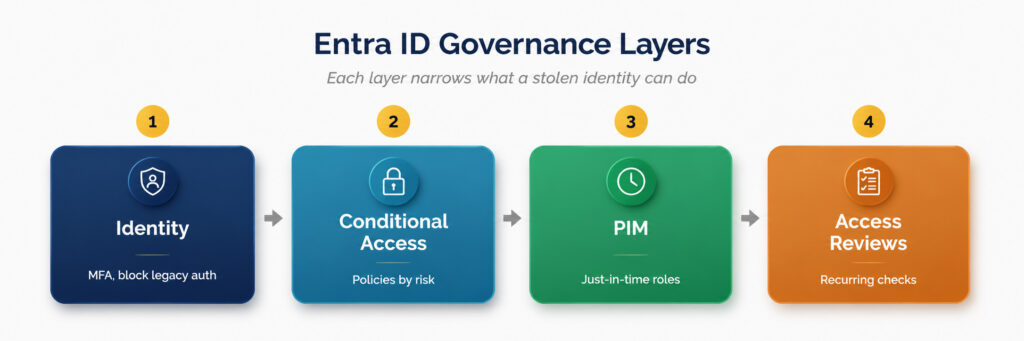
Each layer narrows what a stolen identity can actually do.
App Registrations and Graph API Consent Risk
Restrict who can register applications, since by default most users can. Review admin-consented Graph API permissions across the tenant regularly and remove anything with high-privilege scopes, such as Mail.ReadWrite or Directory.ReadWrite.All, that is not clearly justified. Restrict user consent to verified publishers only, or route requests through an admin consent workflow.
Service Principals, Managed Identities and Non-Human Access
Service principals and managed identities can access mail, files, directory data and other resources, often without ever appearing in a standard interactive sign-in log. Capture non-interactive sign-in logs, service principal sign-ins and managed identity sign-ins so this category of access is visible, not just human logins.
Monitoring, Audit Logs and Compliance Evidence
Feed sign-in logs, role activations, consent grants and Conditional Access changes into a SIEM, and set alerts for anomalies such as role activations outside business hours. Maintaining this evidence consistently is what turns identity governance into something an auditor can verify rather than take on faith.
Azure Entra Security Governance Checklist
Organizations reviewing Microsoft Entra ID should validate these controls:
- Enforce MFA for all users and phishing-resistant MFA for privileged users.
- Block legacy authentication protocols tenant-wide wherever possible.
- Review Conditional Access policies for user, device, location, risk and application coverage.
- Identify users and workloads that fall outside Conditional Access policy scope.
- Move standing privileged roles to PIM just-in-time activation where licensing and implementation allow.
- Keep privileged role activation windows short and require justification.
- Run quarterly access reviews for privileged roles, emergency access accounts and high-risk assignments.
- Restrict who can create app registrations.
- Review high-privilege Microsoft Graph API permissions and remove unjustified consent grants.
- Monitor service principal and managed identity sign-ins, not only human interactive logins.
- Maintain monitored break-glass accounts with strong controls and documented use cases.
- Review SMTP AUTH, Basic Auth and legacy access paths for decommissioned or forgotten systems.
- Track evidence for access reviews, Conditional Access changes, PIM activations and app consent reviews.
Map identity governance evidence to ISO 27001, SOC 2, GDPR, DPDP and Zero Trust requirements.
Example Use Case: Dormant Privilege and Legacy Authentication
In one tenant reviewed, six accounts held Global Administrator, only two of which were in active use. Three dormant service accounts still held mailbox-wide read and write permissions. Legacy SMTP AUTH was still enabled tenant-wide for a scanner that had been decommissioned eight months earlier. Addressing all three took less than a day once identified.
How ServQual and SUSAN Help
ServQual helps organizations assess Microsoft Entra security governance across MFA, Conditional Access, Privileged Identity Management, app registrations, service principals, managed identities, logging and compliance evidence.
A point-in-time Entra governance review helps identify identity risk today. SUSAN helps extend that visibility into a continuous assurance model by connecting identity governance findings, control evidence, remediation ownership and compliance visibility.
With ServQual and SUSAN, organizations can:
- Review Entra identity governance gaps
- Identify excessive privileged access
- Assess Conditional Access coverage
- Review app registration and Graph API consent risk
- Track remediation ownership
- Map identity findings to ISO 27001, SOC 2, GDPR and DPDP evidence needs
- Improve leadership visibility into identity risk
- Move from periodic access reviews toward continuous assurance
Explore SUSAN Cloud Security Validation
Explore SUSAN Continuous Monitoring & Evidence
"Every identity that is not reviewed becomes a standing invitation for abuse."

Meet Darji
Lead Vulnerability Assessment & Penetration Testing Engineer | ServQual
FAQ
Most frequent questions and answers
Azure Entra security governance is the process of managing identity, access, privileged roles, Conditional Access, app registrations, service principals, managed identities and audit evidence across Microsoft Entra ID.
Microsoft Entra ID controls access to Microsoft 365, cloud resources, SaaS applications and connected business systems. Weak identity governance can allow attackers to abuse credentials, tokens, privileged roles or app permissions.
A strong first step is to enforce MFA, block legacy authentication where possible and review privileged roles. These actions reduce common identity attack paths.
Conditional Access is a Microsoft Entra capability that applies access policies based on identity, device posture, application, location, risk and other conditions.
Privileged Identity Management helps reduce standing privileged access by allowing eligible users to activate privileged roles only when needed, often with justification, approval and time limits.
App registrations can hold API permissions that allow access to mail, files, users or other Microsoft Graph data. Forgotten or over-permissioned apps can create long-term access risk.
Yes. Service principals and managed identities can access cloud and application resources. Their sign-ins, permissions and activity should be monitored as part of identity governance.
Entra governance supports compliance by helping organizations maintain access control evidence, privileged access records, MFA coverage, Conditional Access policies, app consent reviews and audit logs.
SUSAN can help connect Entra and Microsoft 365 security findings with risk visibility, remediation ownership, compliance evidence and continuous assurance workflows.
Strengthen Microsoft Entra Identity Governance
Identity risk does not usually appear all at once. It builds through forgotten app registrations, stale privileged roles, legacy protocols and Conditional Access gaps that no longer match the business.
ServQual helps organizations assess Microsoft Entra governance, reduce identity risk and align access controls with cybersecurity and compliance requirements. Explore SUSAN or contact ServQual to connect identity findings, remediation ownership, evidence and leadership visibility into a continuous assurance model.
Disclaimer: This article is provided for general informational and educational purposes only and does not constitute legal, compliance or professional security advice. Product capabilities, licensing and features referenced may change over time and should be verified against current vendor documentation. Organizations should assess their own environment and consult qualified legal, compliance or security professionals before acting on this content.