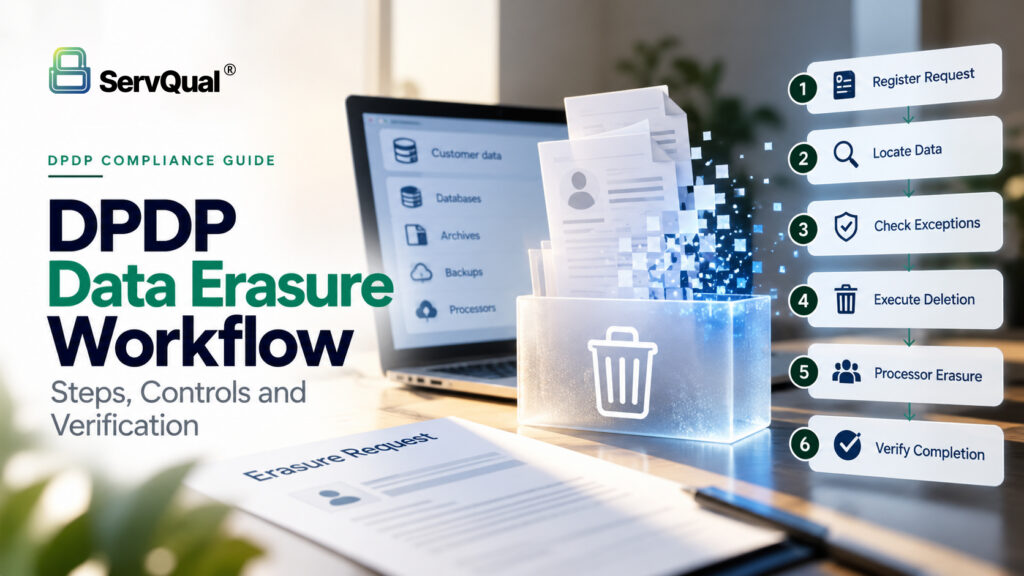
Executive Summary
Deleting an account record often leaves copies in databases, archives, backups, exports and processors. Effective erasure combines legal analysis, data mapping, controlled technical execution, verification and evidence.
- Triggers: consent withdrawal, end of purpose, Third Schedule inactivity, erasure requests and retention expiry.
- Separate cases: consent withdrawal, access requests (DPAR), erasure and grievances are often linked, but each must be tracked on its own.
- Processors: Section 8(7)(b) makes processor erasure a legal duty of the Data Fiduciary.
- Proof: an acknowledgment or API response does not prove deletion. Verification and proportionate evidence do.
- Timeline: core erasure obligations apply from 13 May 2027.
Why "delete" is harder than it looks
Deleting an account record in one application rarely removes every copy. Personal data usually also sits in:
- Production databases and replicas
- Search indexes and caches
- Data warehouses, analytics and BI extracts
- Spreadsheets, email attachments and exports
- Backups and archives
- Processors such as CRM, email, cloud and support tools
Hiding is not erasing
Deactivating an account or hiding a record may leave the underlying data in place. Define what “erased” means for each system, and document the limits of backups and archives.
What triggers erasure?
| Trigger | Legal basis | What it means |
|---|---|---|
| Consent withdrawn | S.6(4), S.6(6), S.8(7)(a) | Stop consent-based processing within a reasonable time; erase unless a law requires retention |
| Purpose no longer served | S.8(7)(a) | Erase as soon as it is reasonable to assume the purpose is over |
| Third Schedule inactivity | S.8(8), Rule 8(1)–(2) | Large e-commerce, gaming and social media platforms: erase after 3 years of inactivity, with 48 hours' notice |
| Erasure request | S.12(3) | Erase unless still needed for the specified purpose or required by law |
| Retention period expires | Your retention schedule | Internal trigger; must still pass the exception check |
Convenience is not a lawful reason to keep data. Every exception needs a specific law behind it.
Know which request you are handling
These requests are often linked, but they are separate cases with different outcomes. Track each one on its own.
| Request | What the person wants | DPDP basis |
|---|---|---|
| Consent withdrawal | Stop processing that relies on consent | S.6(4) |
| Access request (DPAR) | A summary of data processed and who it was shared with | S.11 |
| Correction or erasure | Fix or remove their personal data | S.12 |
| Grievance | Challenge a failure or a disputed outcome | S.13; response within a published period of no more than 90 days (Rule 14(3)) |
Good to know: Acknowledging a request is not completing it. Close the case only when the action is done and verified.
The 7-step erasure workflow at a glance

Figure 1. The DPDP erasure workflow: from trigger to verified closure, with exception and processor-failure paths
Detection, Monitoring and Relevant Frameworks
Step 1: Register the request
- Capture the trigger, date received, reference number, processing activity and responsible team.
- Requests may arrive through a public form, email or a DPO-assisted channel.
- For automated expiry, record the policy version and the event that fired the trigger.
Watch out: Never start an irreversible deletion just because an unvalidated timer fired.
Step 2: Verify identity and locate the data
- Verify identity in proportion to the risk. Do not collect more data than you need to verify.
- If a parent, lawful guardian or nominee is acting, check their authority.
- Use your RoPA, data inventory and system owners to find every copy.
Watch out: Flag uncertain matches for review rather than deleting someone else’s data.
Step 3: Check legal exceptions
- Ask two questions: does a law require retention? Is the data still needed for the specified purpose? (S.12(3))
- Record the affected records, the reason, the legal basis, the approver and a review date.
- If only part of the data is exempt, erase the rest.
- Restrict exempt data to that legal purpose only.
Step 4: Assign owners and approve
- Name a case owner, an approver and a verifier.
- Give teams access only to the cases assigned to them. Oversight roles keep visibility.
- Record every decision and escalation.
Step 5: Execute deletion
- Use approved procedures across databases, storage, caches, indexes and exports.
- For backups, let them expire on a defined cycle, restrict access, and re-delete the data if a backup is ever restored.
- Track partial failures and retry them.
Watch out: A successful API response does not prove that every copy is gone.
Step 6: Make processors erase
- This is a legal duty. Section 8(7)(b) requires you to cause your processors to erase.
- Send clear instructions. Ask for confirmation of what was erased and anything excluded.
- Escalate non-responses. Cross-border processors may need extra coordination.
Watch out: Do not close the case while a critical processor dependency is unresolved.
Step 7: Verify, inform and close
- Check technical logs, the systems themselves and processor confirmations.
- Document exceptions and any failed actions.
- Tell the Data Principal the outcome.
- Keep proportionate evidence, but not the data you just erased.
Automating erasure at expiry
Automation can start deletion when an approved retention period ends. Build in these safeguards:
| Safeguard | Why it matters |
|---|---|
| Exception check before execution | Stops deletion of data under a legal hold |
| Scope validation | Confirms the right records and systems are targeted |
| Role-based access and approvals | Prevents unauthorised mass deletion |
| Retries and alerts | Catches failed or partial jobs |
| Post-run verification | Proves the job actually worked |
Test the edge cases: duplicate jobs, processor outages, restored backups and policy changes mid-cycle. Automation cannot answer every legal question.
Worked example
A customer withdraws consent through a public form:
- The case is registered and linked to the customer’s consent record.
- The DPO team uses the RoPA to find all consent-dependent processing.
- Legal confirms invoices must be kept under tax law. Everything else is eligible for erasure.
- System owners erase the eligible data.
- The email-marketing processor is instructed to erase, and confirms in writing.
- The team verifies the result, informs the customer and closes the case.
- Invoices stay under restricted retention until the legal period ends.
What evidence to keep, and what not to
| Keep | Do not keep |
|---|---|
| Trigger, date and case reference | Copies of the erased personal data |
| Policy version, legal basis and approver | Screenshots or exports of deleted records |
| Actions taken and systems covered | Full request payloads in system logs |
| Processor confirmations and verification result | "Just in case" copies kept outside policy |
A dashboard status is an operational signal. It is not conclusive proof of compliance.
Common mistakes to avoid
- Treating account deactivation as erasure
- Closing a case on acknowledgment rather than completion
- Ignoring exports, backups and processors
- Open-ended exceptions with no review date
- Collecting excessive ID documents to verify a request
- Leaving erased data in logs and tickets
How SUSAN supports erasure
- Consent Withdrawal and DPAR workflows: capture and track requests.
- Master RoPA: locate affected data, systems and processors.
- Retention Policy Management and Erasure Job Execution: trigger erasure when a configured period expires.
- Processor Obligation Register: track processor instructions and confirmations.
- DPO Management: assign owners, approvals and escalations.
- Notifications and email acknowledgments: keep everyone informed.
“Acknowledging a request is not completing it. Close the case only when the action is done and verified.”

Vaishnavi Pawar
Security Researcher | ServQual
FAQ
Most frequent questions and answers
Data erasure may be triggered by Consent Withdrawal, the specified purpose no longer being served, a valid erasure request, certain inactivity conditions under the Third Schedule, or expiry of an approved retention period.
No. Deactivating or hiding an account may leave the underlying data in databases, backups, indexes, exports and processor systems. Erasure requires the relevant personal data itself to be removed according to the applicable workflow.
Yes, where the data is still necessary for the specified purpose or a law requires retention. Any exception should be documented, restricted to the relevant purpose and reviewed appropriately.
Yes. The article states that the Data Fiduciary must cause its processors to erase applicable personal data, obtain confirmation and keep the case open while critical processor dependencies remain unresolved.
The article notes that the DPDP Act does not prescribe a specific backup-erasure method. A practical approach is to let backups expire on a defined cycle, restrict access while they exist and re-delete the data if a backup is restored.
Only parts of the workflow can be automated. Retention expiry can trigger deletion, but exception checks, scope validation, approvals and post-run verification still need appropriate controls and, in some cases, human judgement.
Keep proportionate evidence such as the trigger, case reference, policy version, legal basis, approver, systems covered, processor confirmations and verification result. Do not retain copies of the erased personal data merely as proof.
A DPAR asks what personal data is processed and who it was shared with, while an erasure request asks for removal of applicable personal data. They may be related but should be tracked as separate cases with separate outcomes.
Build a Verifiable DPDP Erasure Workflow
Manage erasure requests from trigger to verified closure, including legal exception checks, processor coordination, retention-based deletion and evidence tracking.
ServQual SUSAN helps privacy teams connect Consent Withdrawal, DPAR, Master RoPA, Retention Policy Management, Processor Obligations and DPO workflows into structured privacy operations.
Disclaimer: This article provides general information about DPDP data erasure workflows and does not constitute legal advice. Organizations should verify the applicable commencement notifications, rules, sector-specific requirements and their own legal obligations before implementing an erasure process.